

Market Research App with Screen Recording - iOS & Android
Native Android and iOS apps that turn a research participant's phone into the fieldwork tool. Text, photo, video, screen recording and poll tasks, captured on the spot and uploaded in the background.
01The challenge
Fieldwork only works if the participant finishes
Participants complete remote tasks over days, at home, on their own phones. Every step is a place someone abandons the study.
Large files on mobile data
A failed video upload means a lost response and a participant who will not re-record.
Studies branch
The next question depends on the last answer, so no fixed question list could ship in the app.
Capturing the participant's screen
Screen tasks with narration are only permitted through each platform's own restricted capture APIs.
Consent is a requirement
Participants must read a release form and sign it before any data is collected.
Global panels
Recruitment is worldwide, so the interface had to be readable by people who do not speak English.
02What we built
Fully native on both platforms, built around the upload
Java on Android and Swift on iOS, to reach the screen capture, media and background execution APIs directly. Both talk to the same Kix API.
Onboarding, consent, language
OTP sign in, profile setup, 36 locales applied before the first screen, and a signed release form in app.
Assignments and branching
Projects grouped by Today, Tomorrow and Remaining, driven by a next question endpoint that resolves server side.
Capture and resilient upload
Photo, video and screen recording through a foreground service, then every upload moved onto WorkManager.
Uploads are handed to WorkManager, so a participant can leave the screen, lock the phone or lose signal mid video and the answer still lands.
03In the app
Five task types, one rhythm
Each capture screen is different. The submit and continue beat never changes.
A participant sees what is due today rather than a flat backlog, answers in whichever medium the task calls for, and never waits on an upload to move on.
01Five assignment types
Open text, photo, video, screen recording and polls, each with its own capture screen.
02Screen recording with narration
A foreground MediaProjection service with a draggable timer overlay and microphone capture.
03Background uploads
WorkManager with a streaming request body reporting true byte level progress in a notification.
04Server driven branching
Each answer calls a next question endpoint, so researchers reconfigure a study without a release.
05In app consent
The release form renders through a bundled PDF viewer and is signed with a real drawn signature.
06Today, tomorrow, remaining
Multi day diary studies show what is due now instead of everything at once.
0736 languages
App Bundle language splits, so a global panel reads the study without inflating the download.
08Recovery and visibility
Answer editing after submission, network loss detection, and Crashlytics and Analytics for drop off.
04The instance
Kix, as it ships
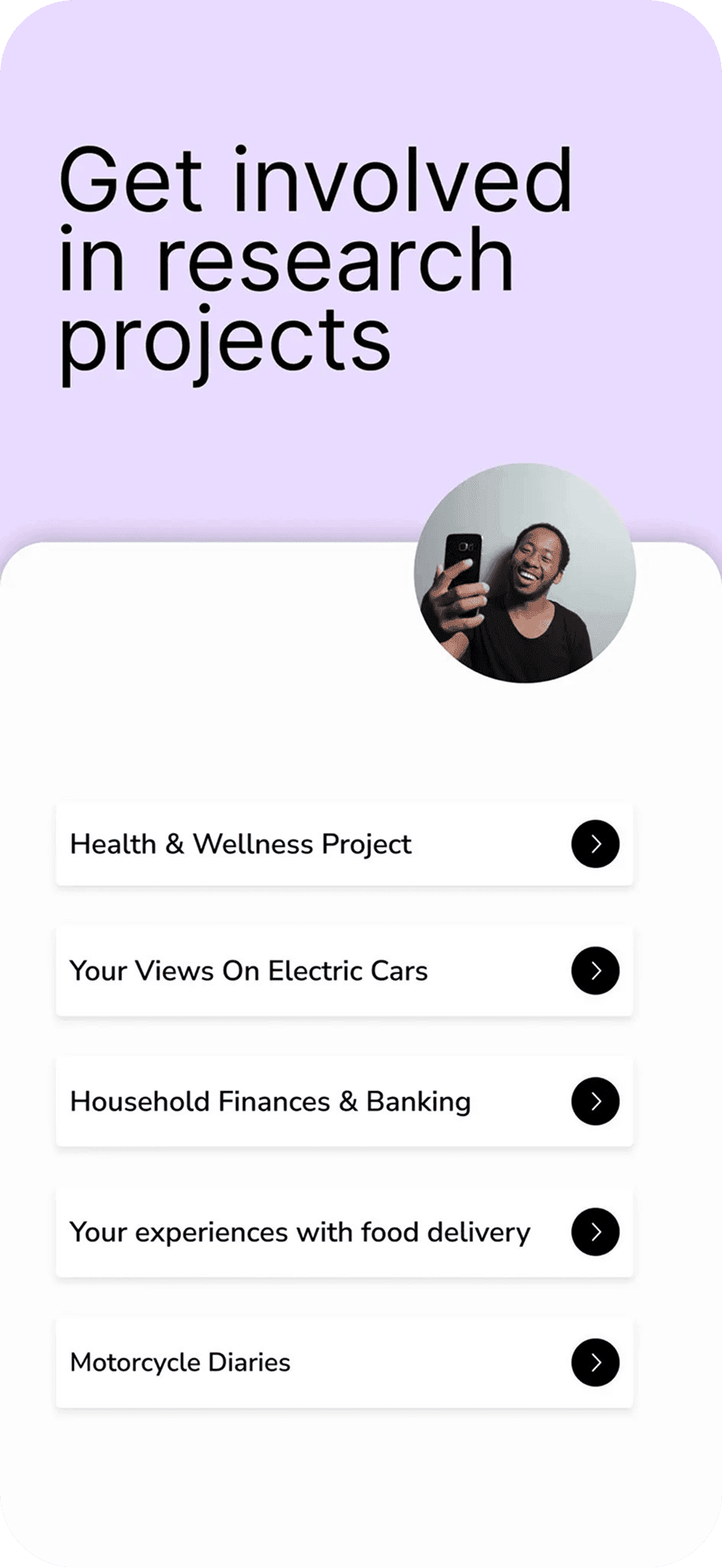
The client mark and a screen from the participant app.

Kix Data Limited, London. A remote research panel platform running live on iOS and Android, built to turn a participant's own phone into the fieldwork tool. Text, photo, video, screen recording and poll tasks, captured on the spot and uploaded in the background across 36 languages.
Client mark
05Stack
A fully native stack on both platforms, chosen for media capture
Cross platform would have made the capture APIs the hard part.


06Results
Shipped as a production research instrument
Built for the moment a participant is standing somewhere with one bar of signal.
Assignment types: text, photo, video, screen recording, poll
In app languages with App Bundle splits
REST endpoints behind one service layer
Android activities across the participant journey
Kix helps you take part in exclusive market research studies that shape the future of products, services and brands. Complete engaging remote tasks anytime, anywhere.
Kix Data Limited
Live on both stores for invited research panels
Reaches the devices real panels actually use
Uploads resume in the background instead of failing silently
Let's build the app your fieldwork depends on.
Tell us what your users have to capture and where they'll be standing when they capture it, and we'll make it land every time.
Start a project