
Web Apps & Admin Panels
The screen your team logs into every morning.
Admin panels, dashboards, customer portals and the browser version of your product, built on the same stack as your app, by the same team, so it is one product and not two vendors blaming each other.
Your code, your cloud accounts, your data. On final payment it is all yours.
Every real product needs more than the app. Somebody has to approve content, manage users, see the numbers, handle a refund and change what is on the home screen, without calling a developer. That is the admin panel. Then your business customers want the same product in a browser, and your team wants a dashboard that is not a spreadsheet emailed around on Monday. We build all of it, on the same stack as your app, so it stays one product with one team behind it.
Who you’ll actually work with

Anand Yadav
Admin panels are where I have watched the most money get wasted, and it is almost never a technical failure. It is that the panel was designed for the developer who built it and not for the person in operations who has to open it forty times a day.
So I ask a different first question. Not ‘what should it do’. ‘Who opens this, and what are they doing in the ninety seconds before they open it’. That question changes the whole design, and it is the reason our panels get used.
I am on every project.
What usually goes wrong
What clients say, and what it actually means
“Everyone just uses the spreadsheet because the old admin panel is too slow to open.”
What it meansThe tool built to save time was quietly costing it back every day.
“We need a dashboard, whatever that means.”
What it meansNobody had agreed on which numbers mattered enough to look at daily.
“It worked fine in the demo.”
What it meansIt was never tested with the data volume the team actually works with.
Four things, and they are not the same thing
What we build
| Type | What it is | Who opens it | Typical proof |
|---|---|---|---|
| Admin panel | The control room for your product. Approve, edit, publish, manage users, set permissions, change what customers see | Your own team, daily | PTB admin, publication time down 65% |
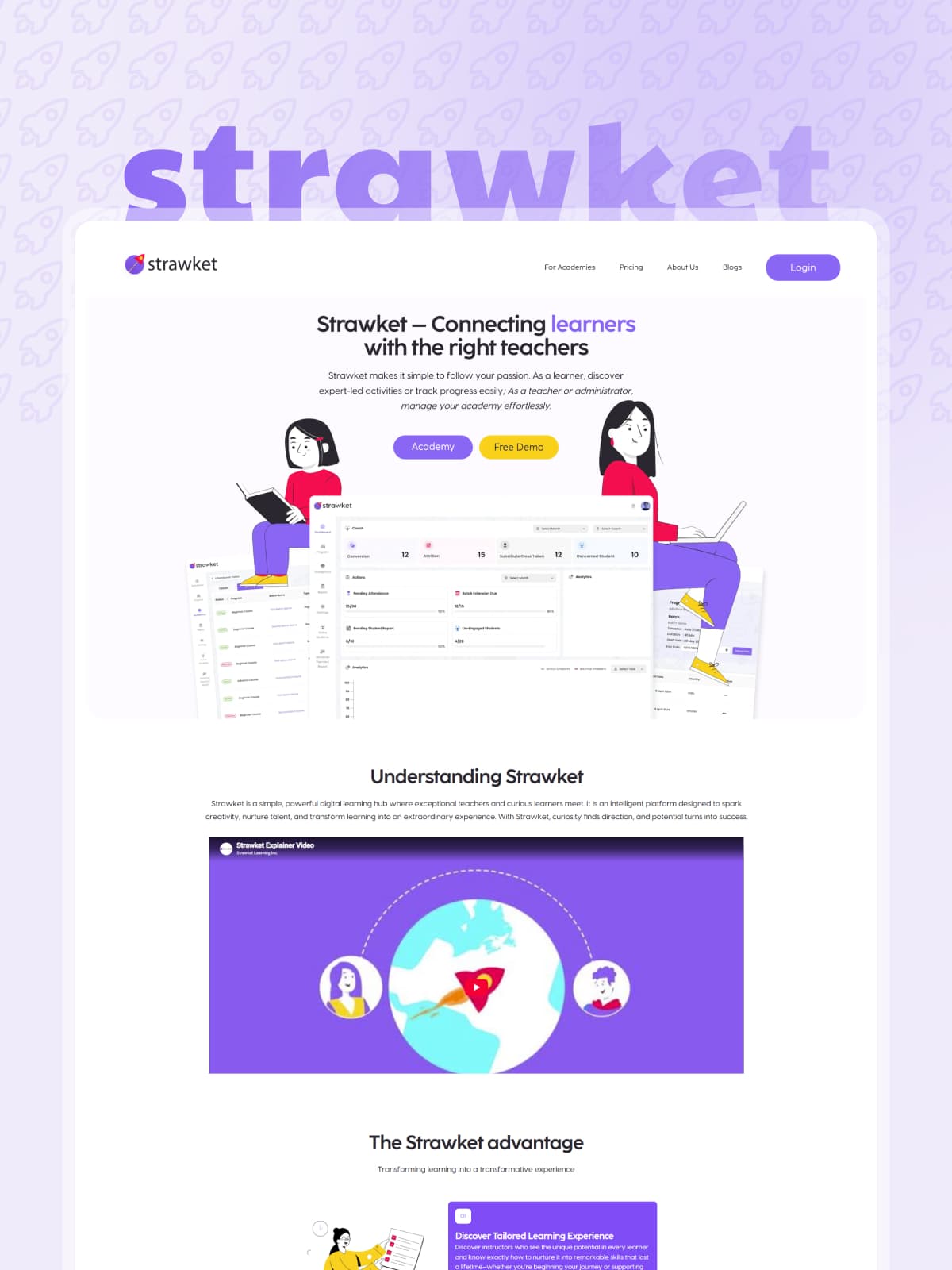
| Dashboard and reporting | The numbers the business actually runs on, in one place, updating live | Managers and owners, weekly | Strawket Academy, multi-tenant education management console |
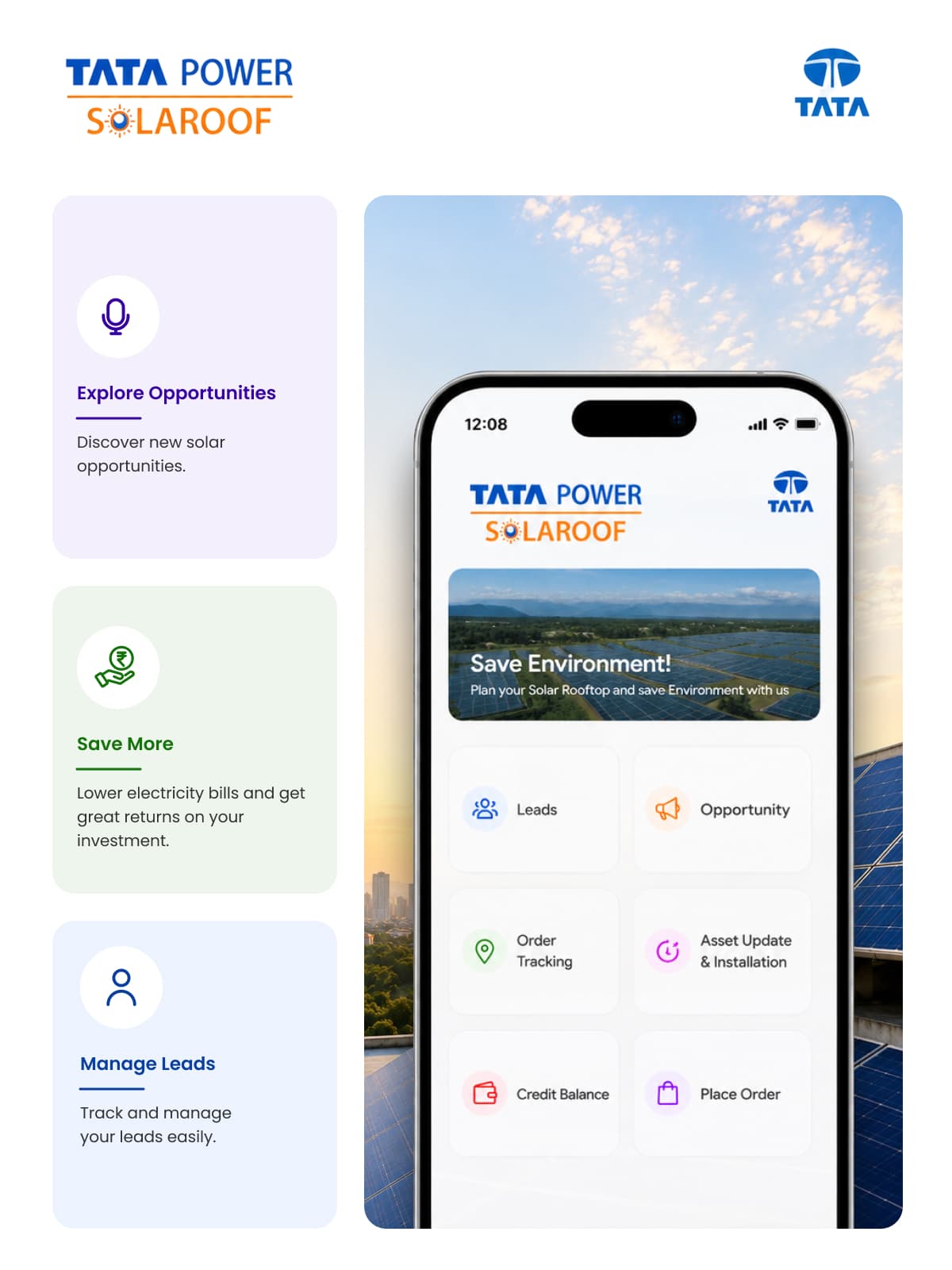
| Customer / partner portal | Your clients log in and see their own orders, data, documents and invoices | Your customers, unpredictably | Tata Power SolaRoof, 99% asset tracking accuracy |
| Web version of your mobile app | The same product in a browser, for people who work at a desk | Whoever prefers a keyboard | Shares the codebase and the backend with the app |
The question nobody asks until month three
Will your staff actually use it?
Internal tools do not usually fail because the code is wrong. They fail because the people who were supposed to use it went back to the spreadsheet.
Homegrown internal tools rarely fail because the code doesn't work. They fail because the builder skipped the product loop. Iterating without outside signal isn't iterating. It's decorating.
What we do about it, on every panel we build:
| What we do | What that means |
|---|---|
| We watch someone do the job first | Before design. The real job, with the real spreadsheet, at their desk or on a call |
| The person who will use it reviews the design | Not only the person paying for it. These are usually different people, and that is the whole problem |
| The 90-second rule | The three things that person does most must each take under 90 seconds and no more than two clicks from login |
| We measure training time | And we publish it. On the Pray The Bible panel, training went from two weeks to two days |
| A 30-minute recorded walkthrough | Shipped with the panel, made for the staff, not for the buyer |
Real numbers from panels we have built: publication time down 65%, training 2 weeks to 2 days (PTB admin), lead to order time down 45%, and asset tracking accuracy at 99% (Tata Power SolaRoof).
When you should not hire us
Build it or buy Retool? An honest answer.
Every buyer in this market asks this, and most agency pages pretend the question does not exist.
Buy Retool, Appsmith, or Airtable when
Small Internal Team
The tool is for a small internal team and your workflow follows standard CRUD patterns.
Employee-Only Access
Nobody outside your company will ever log in, so public branding and accessibility laws do not apply.
Standard Platform Limits
You can comfortably live inside off-the-shelf platform constraints without custom component needs.
OPEX Over Upfront Build
You would rather pay monthly recurring seat fees than invest in a custom software build.
Build a custom web app when
Customer & Partner Portals
External clients log in. A portal your clients use is your product, requiring your brand, domain, and full accessibility.
Unified Mobile & Web Architecture
Sits on top of the mobile app we are already building, sharing the exact same data model, auth system, and engineering team.
Proprietary Core Workflows
Your process is your competitive edge. Renting someone else's rigid template for your core business operations is a bad trade.
Headcount & Seat Cost Scaling
Per-seat costs grow endlessly with headcount (e.g. Retool $50/builder + $15/user/mo, Appsmith $15 to $25/user/mo). Custom builds have zero per-user fees.
Per-Seat Pricing vs. Long-Term Custom Ownership
There is no arbitrary user count where custom “wins”. Per-seat tool pricing scales endlessly with your headcount, whereas a custom build has zero per-user fees. If buying a tool is right for you, we will tell you on our first call and point you to our Low-Code / No-Code Builds service to set it up properly.
Who keeps this running
The year-two question
The most repeated fear in this market, in the buyer’s own words:
Do you also love to maintain the tools you build? That's at least half the reason you buy instead of build.
A custom panel that nobody maintains stops being an asset fairly quickly. So we answer it before you sign, not after:
| Option | What it means |
|---|---|
| You maintain it | Full handover, documented, your repository and your accounts. We write the runbook for your developer. Normal, and not penalised. |
| We maintain it | Monthly plan. See Mobile App Maintenance & Optimization. |
| Nobody maintains it, on purpose | Some internal tools genuinely have a two-year life. If that is yours, say so and we will build it cheaper and simpler on purpose. |
The third row is real advice. Building a ten-year system for a two-year problem is the most common way money gets wasted in this category.
What the law says, and what it does not
Accessibility: which of these is actually covered by law
There is a lot of confident nonsense about this, so here is the distinction that matters, with sources.
Customer & Public Web Portals
Strictly in scope. The European Accessibility Act (EAA) has applied since 28 June 2025 across public-facing web applications.
Internal Employee-Only Panels
Generally out of scope under the EAA. The law targets products and services placed on the commercial market, not internal staff tools.
Mixed Intranet & Public Systems
Treated as in scope. Because the system serves public-facing content, accessibility compliance applies across the entire platform.
Microenterprise Exemption & Jurisdiction Caveats
Fewer than 10 employees & turnover ≤€2M are exempt for service providers (CCPC). Note: Member states like France & Italy may extend duties to internal tools via national law, and US ADA Title II applies to state/local government through 2027 to 2028.
WCAG Compliance Built In By Default
We build to WCAG standards on every customer-facing portal and web app by default. Good accessibility directly improves keyboard navigation, contrast, and performance that your internal staff and clients use every single day.
Where we have shipped
Industries we serve







Beyond the marketing site
Most web work is an app wearing a website
Logins, dashboards, roles, billing, exports. Once a page holds state it has stopped being a page. We build the second kind, and the choices below follow from that.

Process
How we work
First call
What is it, who opens it, and honestly, should you buy a tool instead.
Watch the job being done
With the person who does it now, and their spreadsheet.
Screen map and roles
Every screen, every role, every permission, on one page.
Design the three most-used screens
Reviewed by the person who will use them, not only by the buyer.
Build in two-week blocks
Something you can log into at the end of every block.
Real-data test
Your actual data volumes, not ten sample rows.
Staff walkthrough and recording
The 30-minute video that ships with the panel.
Handover and runbook
Accounts, keys, deployment, and how to add a user.
WALL OF PROOF
What clients say once the project is over
The SightInfusion team delivered our app with impressive speed, clear communication, and reliable quality. Every detail was handled thoughtfully, and the final result exceeded expectations. A professional team we're excited to work with again soon.
Working with SightInfusion was a smooth and professional experience. The team was proactive, technically strong, and always transparent with updates. Our finance app was delivered on time with great care. We look forward to future projects together.
SightInfusion handled our complex project with patience, expertise, and consistent communication. Their team learns fast, solves challenges quickly, and delivers dependable results. A skilled, trustworthy team we'll confidently partner with again in the future.
Tech we use
 React
React Next.js
 TypeScript
 Tailwind
 Node / TypeScript
 PostgreSQL
 Firebase
 Supabase
Role-based access, SSO where you need it, audit logging
Live dashboards, scheduled exports, CSV and PDF
 FlutterReact Native
GitHub, CI/CD, staging environment you can log into, error monitoring
Same stack, same backend, same team as your mobile app. That is the whole reason to have us do both.
Questions buyers actually ask
What is the difference between an admin panel and a dashboard?
A panel is for doing: approve, edit, publish, refund. A dashboard is for seeing. Most clients ask for a dashboard and need a panel. What we build.
Why not just use Retool or Airtable?
Sometimes you should, and we will tell you when. Full answer in build it or buy Retool, including current per-seat prices.
At how many users does a custom build become cheaper than Retool?
There is no honest published answer, and anyone who gives you a precise number invented it. What is true is that per-seat pricing grows with headcount and a custom build does not. Build it or buy Retool.
Will my team actually use it?
That is the real risk, and it is the reason we watch the job being done before we design anything, and put the daily user in the design review. Training on our last panel went from two weeks to two days. Will your staff actually use it.
Do I own it?
Yes. Code, designs, cloud accounts, data export, on final payment.
Who maintains it in year two?
Your choice, decided before you sign: you, us, or deliberately nobody if the tool has a short life. The year-two question.
Does accessibility law apply to my admin panel?
If only your employees use it, generally no. If your customers log in, yes. The European Accessibility Act has applied since 28 June 2025. Full detail and the microenterprise exemption in accessibility.
Can you build the web version of my existing mobile app?
Yes, and if we built the app it is roughly two weeks because it shares the backend and the data model.
Can it connect to our CRM / accounting / ERP?
Yes. That work lives on Backend, API & Integrations, and we scope it together with this.
Can you add AI so people can just ask the data a question?
We can. We will also tell you we could find no independent adoption data for that feature. Every source was a vendor. Treat it as a bet.
What if we already have a panel and it is a mess?
Start with a paid interface audit rather than a rebuild. Often the fix is three screens, not a new system.
How do you handle our real data volumes?
We test on your actual volumes before handover, not on sample rows. It is step 6 of how we work and it is where most panels quietly fail.
Do you do marketing websites?
No. This is the web a product needs: panels, dashboards, portals, and browser versions of apps.
Can our own developer take it over?
Yes, and we write the runbook for them as part of handover.


Tell us the problem. We bring the engineering.
A short call, an honest answer on whether we are the right team, and a scope you can hold us to.
Start a project