
Coaching Academy Management Platform Design - Strawket
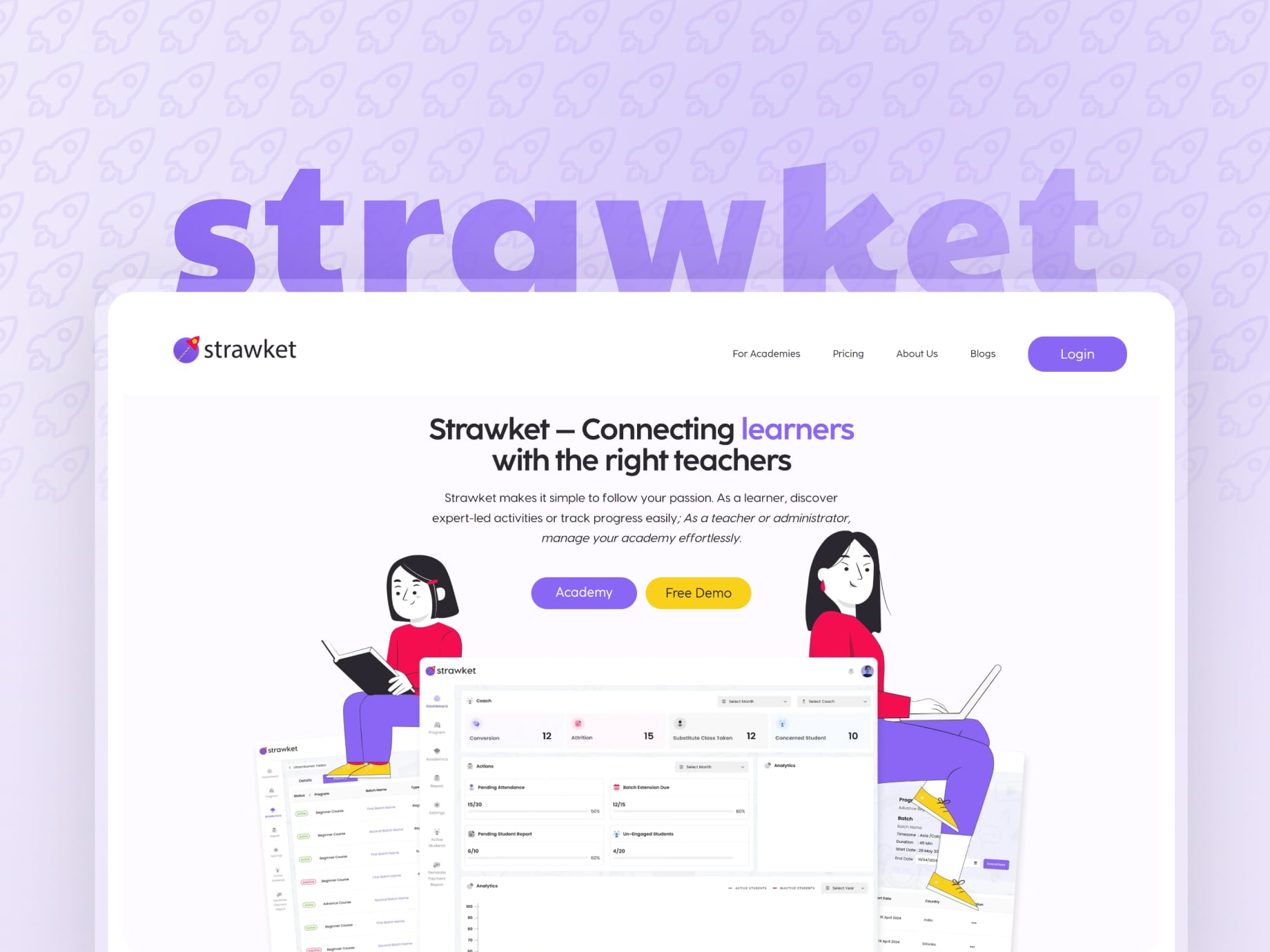
Strawket connects learners with the right teachers. The work behind that promise is academy admin: batches, coaches, attendance, reports and payments. We designed that console in Figma, screen by screen and state by state.
01The challenge
Academies were run on spreadsheets and chat threads
Coaches teach. Everything around the lesson, the register, the homework, the monthly report, was manual work spread across files and messages.
Attendance kept by hand
Registers lived in spreadsheets, so nobody could see a gap until the month closed.
Homework sent one by one
Class notes and practice links went out after every lesson as individual messages.
Progress with no single view
Founders and parents had no one place showing how a student was actually moving.
Batches across time zones
Students sit in different countries, so schedules and cover classes need one source of truth.
02What we built
One console for the people who run the academy
The structure follows the daily jobs rather than the database: fill the register, chase a pending report, extend a batch, raise an invoice.
Mapped the operating day
Coach, admin and owner tasks were listed first, then grouped into seven console destinations.
Designed every state
Filled tables, empty states, confirmation modals and success messages, not just the happy path.
Handed over one file
A single Figma file holding the full console, ready for engineering to build against.
The dashboard leads with work that is overdue. Pending attendance, batch extensions due, pending student reports and un engaged students each carry a count and a share, so an academy owner sees the backlog before any headline number.
03In the app
The dashboard opens on what is overdue
Coach metrics across the top, pending actions in the middle, active and inactive students trending underneath.
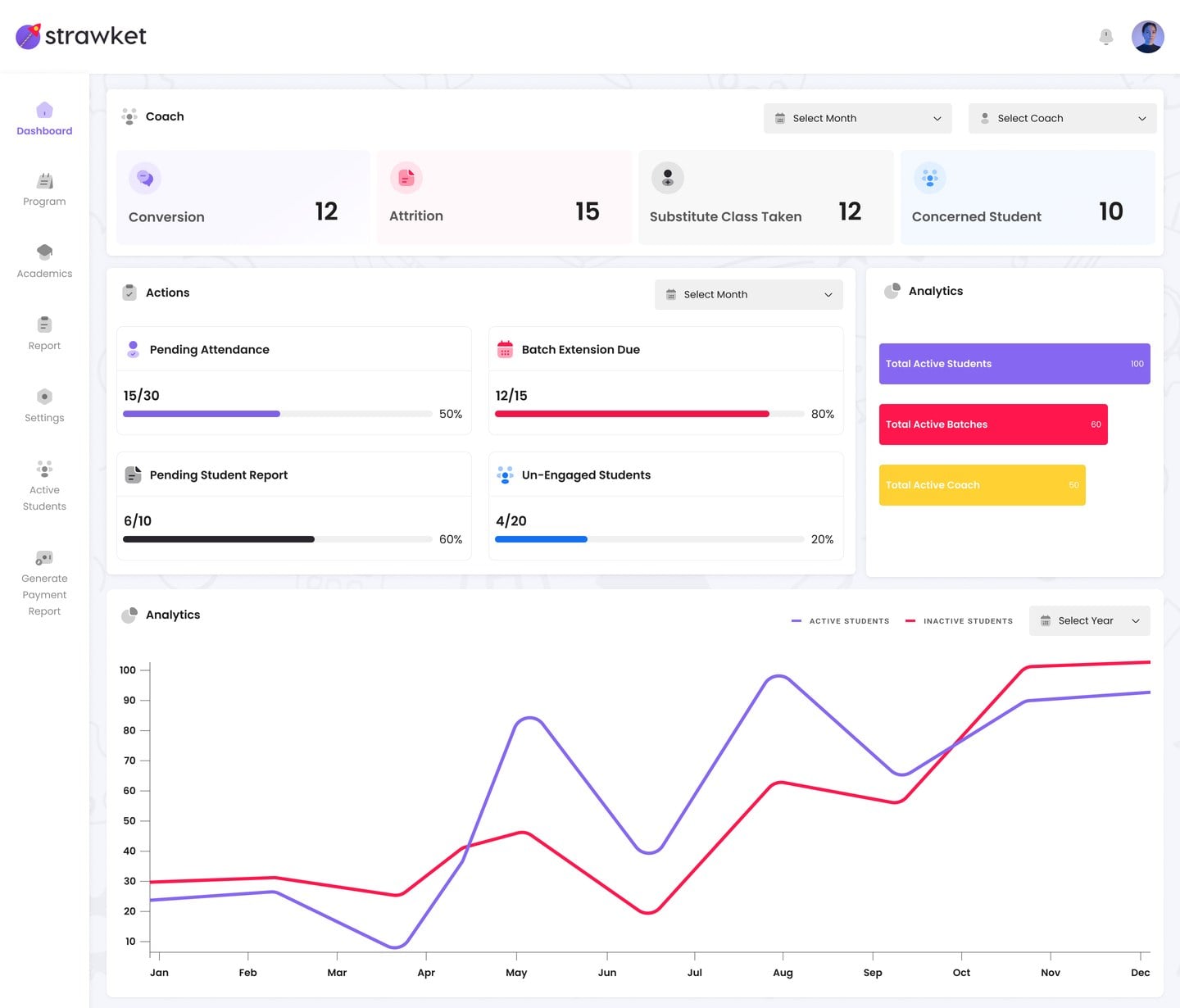
Coach dashboard
Colour is reserved for status. Purple carries the brand, red flags an expiry or an attrition figure, and green marks an active record, so a table reads before it is studied.
01Operations dashboard
Conversion, attrition, substitute classes and concerned students, beside the actions still pending.
02Academics roster
Students, coaches and batches in one table with active, inactive and suspended states.
03Batch setup in steps
A seven step flow covering program, schedule, time zone, duration and the coaches assigned.
04Programs and assignments
Topics carry class material, handouts and questions in multiple choice, checkbox, short answer and image formats.
05Reports and payments
Report types generate a summary table with CSV export, and payment reports raise invoices and reminders.
04The instance
Strawket, as it ships
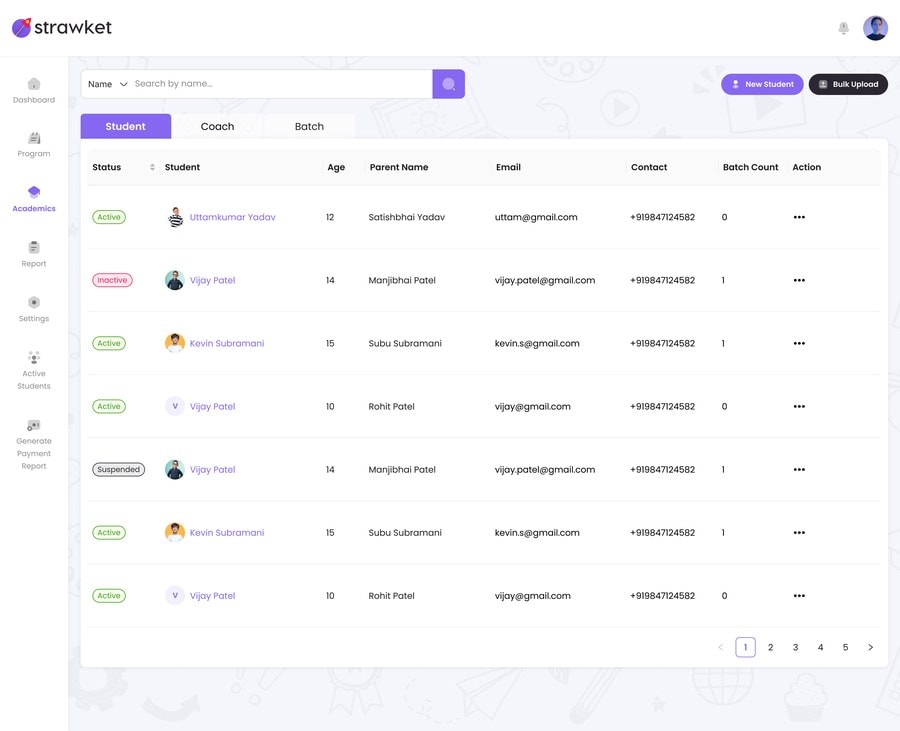
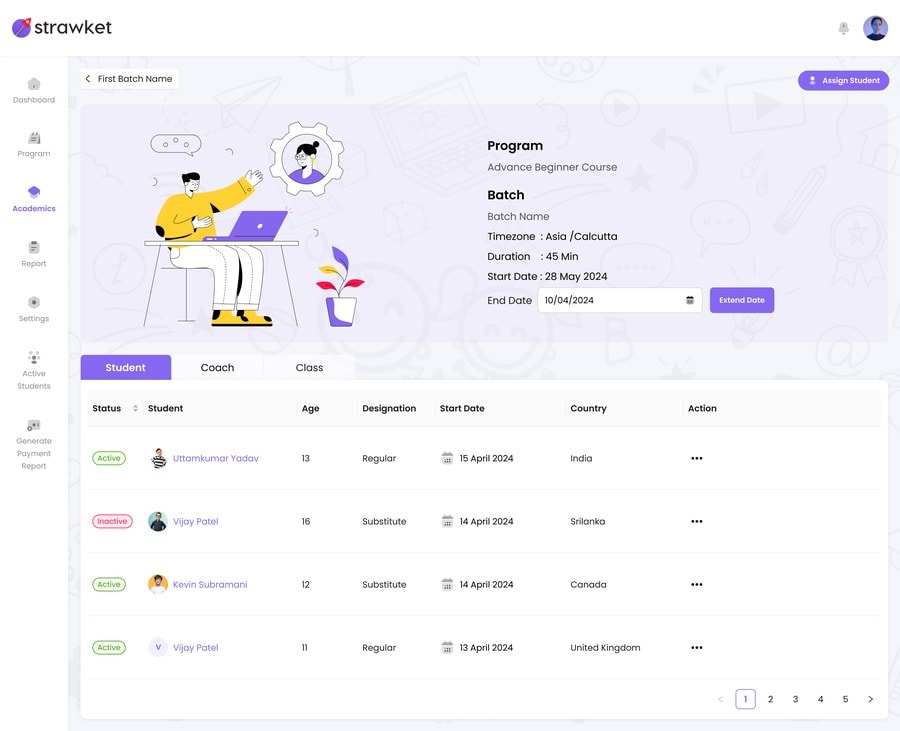
Two screens from the live console: the academics roster, then a batch in progress.
The academics roster lists students, coaches and batches in one table, with active, inactive and suspended states colour coded so a review pass does not need to open each row.
A batch view carries its program, schedule, time zone and duration up top, with the assigned students, coaches and classes underneath, each searchable by status.
05Stack
Designed in Figma, built for the browser
One file, one grid, one component set the engineering team could build straight from.


06Results
What the design file covers
The measure here is coverage: every destination, every state, in one place.
Console destinations designed
Assignment question formats
Roster views in academics
Desktop grid across the file
Strawket saves me time and ensures all my students have class notes and practise links after every class. All automated.
Bhaskar Vishwaroopanand, Chess Coach, on strawket.com
Strawket runs today at strawket.com
The dashboard leads with pending work, not vanity counts
Engineering worked against a single approved Figma source

Tell us the workflow. We will design the console around it.
Send us how your team works today and we will shape the screens, states and flows your product needs.
Start a project